
Introduction
In today’s digital landscape, where privacy breaches and identity theft are common occurrences, understanding how to send an anonymous email is vital for safeguarding your personal information and maintaining your online identity. Whether you need to communicate confidentially, share sensitive information, or simply value your privacy, mastering the process of sending anonymous emails is crucial.
This comprehensive guide will provide you with detailed instructions and insights on sending anonymous emails, while emphasizing the significance of privacy, security, and ethical considerations.
Choosing an Anonymous Email Service
Research reputable anonymous email service providers
Start by researching and comparing different anonymous email service providers. Look for well-established services that have a track record of protecting user privacy and security.
Evaluate privacy policies and security measures
Carefully review the privacy policies and security measures of potential email service providers. Ensure they have robust encryption protocols in place and have clear guidelines on how they handle user data.
Consider providers offering end-to-end encryption and user anonymity
Opt for email services that offer end-to-end encryption, which ensures that only the sender and recipient can access the email content. Additionally, look for services that prioritize user anonymity by not requiring personally identifiable information during registration.
Look for services operating servers in privacy-friendly jurisdictions
Some jurisdictions have stronger privacy laws and regulations than others. Consider using an email service that operates servers in such jurisdictions to maximize your privacy protection.
Read user reviews and consider reputation and reliability
User reviews can provide valuable insights into the reliability and performance of different anonymous email services. Consider feedback from other users to make an informed decision.
Setting Up an Anonymous Email Account
Create a new pseudonymous identity or utilize an existing one
When setting up an anonymous email account, consider creating a new pseudonymous identity or using an existing one that is unrelated to your real identity.
Choose a username unrelated to your real identity
Select a username that does not contain any personal information or identifiable details. The goal is to maintain separation between your anonymous email account and your real identity.
Generate a strong, unique password
Create a strong and unique password for your anonymous email account. Use a combination of uppercase and lowercase letters, numbers, and special characters to enhance security.
Provide minimal personal information during registration
When registering for an anonymous email account, only provide the necessary information. Avoid disclosing any personal details that could potentially link the account back to your real identity.
Leave optional fields blank or use alternative details
Skip optional fields during registration or provide alternative details to further protect your anonymity. Be cautious about providing any unnecessary information that may compromise your privacy.
Configuring Security and Privacy Settings
Enable encryption options like PGP or S/MIME
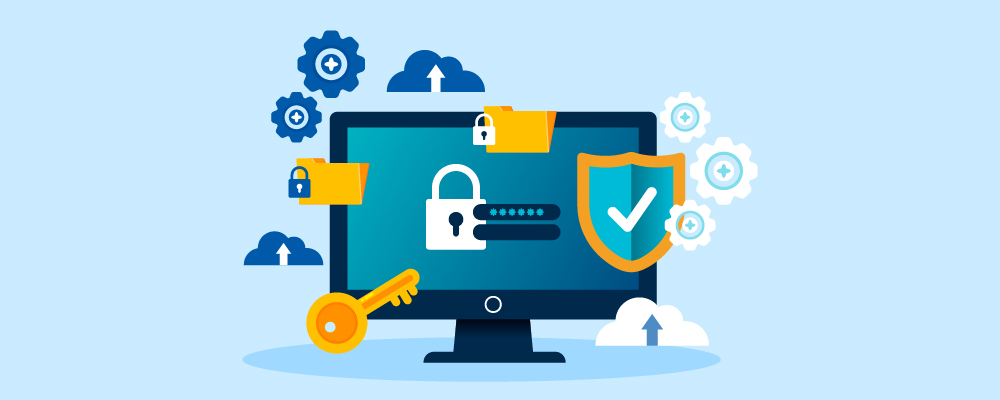
Enable encryption options such as Pretty Good Privacy (PGP) or Secure/Multipurpose Internet Mail Extensions (S/MIME) within your anonymous email account. Encryption ensures that your email content remains confidential and can only be decrypted by the intended recipient.
Generate a unique encryption key pair for your account
Follow the instructions provided by the email service to generate a unique encryption key pair for your account. Safely store your private key and share your public key with trusted recipients to enable secure communication.
Adjust privacy settings to minimize data collection and sharing
Explore the privacy settings available in your anonymous email account and configure them to minimize data collection and sharing. Disable any features that may compromise your privacy or share your information with third parties.
Explore additional security features offered by the email service
Many anonymous email services offer additional security features, such as two-factor authentication (2FA) or advanced spam filters. Take advantage of these features to enhance the security of your account.
Familiarize yourself with the encryption process and best practices
Understand how to properly encrypt and decrypt emails using the chosen encryption method. Educate yourself on best practices to maintain the security and privacy of your communications.
Composing and Sending an Anonymous Email
Avoid including personal details or identifiable information in the email
When composing an anonymous email, be cautious not to include any personal details or identifiable information that could reveal your identity.
Use a neutral tone and avoid distinctive writing habits
To further protect your anonymity, write in a neutral tone that doesn’t reveal any personal characteristics or distinctive writing habits.
Log in to your anonymous email account via the service’s interface
Access your anonymous email account through the email service’s web interface or dedicated application. This helps prevent IP address leaks that could potentially be traced back to your real identity.
Refrain from using your regular email client to prevent IP address leaks
Avoid using your regular email client to send anonymous emails, as it may inadvertently reveal your IP address or other identifying information.
Double-check that the email does not inadvertently disclose your identity
Before sending the email, carefully review the content to ensure it does not contain any personal or identifiable information. Take special care to check the email’s subject line, body, and any attached files.
Maintaining Anonymity
Be aware of metadata that can reveal information about you
Metadata, such as timestamps, subject lines, and sender details, can provide clues about your identity. Be mindful of these details when sending anonymous emails.
Use generic subject lines and avoid timestamps that correlate with activities
Choose generic subject lines that are unrelated to the email’s content or purpose. Avoid timestamps that could potentially be used to connect activities or events.
Employ anonymous web browsers like Tor or VPNs to obfuscate your IP address
To further protect your anonymity, use anonymous web browsers like Tor or virtual private networks (VPNs) to obfuscate your IP address and route your internet traffic through secure servers.
Exercise caution when sharing files or attachments to prevent information leaks
When sharing files or attachments, remove any metadata that could potentially reveal your identity. Consider using secure file-sharing platforms or encrypting attachments to enhance security.
Avoid actions or behaviors that may inadvertently link your anonymous email to your real identity
Exercise caution in your online activities to avoid any actions or behaviors that could potentially link your anonymous email to your real identity. Be mindful of the information you share and the traces you leave behind.
Respecting Privacy and Legal Boundaries
Familiarize yourself with the laws and regulations regarding anonymous communication in your jurisdiction
Research the legal implications and restrictions related to anonymous communication in your area. Understand the legal boundaries and abide by them.
Ensure your actions comply with legal requirements and respect the rights of others
Make sure that your use of anonymous email aligns with legal requirements and respects the rights and privacy of others. Avoid engaging in illegal activities or using anonymous email for malicious purposes.
Refrain from engaging in illegal activities, harassment, or malicious intent
Use anonymous email responsibly and ethically. Do not engage in illegal activities, harass others, or use anonymous communication for malicious intent.
Report abusive or threatening messages to the relevant authorities or email service provider
If you encounter abusive or threatening content through anonymous email, report it to the appropriate authorities or email service provider. Take necessary steps to protect yourself and others.
Use anonymous email responsibly and ethically, prioritizing privacy and respecting the privacy of others
Exercise responsible behavior when communicating anonymously. Always prioritize privacy and respect the privacy of others. Remember that anonymity should not be used as a means to harm or infringe upon the rights of others.
Conclusion
Sending anonymous emails can empower you to protect your privacy and maintain control over your online identity. By carefully selecting an anonymous email service, setting up an anonymous email account, configuring security and privacy settings, and following best practices, you can communicate discreetly while safeguarding your personal information.
However, always remember to act responsibly, respect legal boundaries, and use anonymous email in an ethical manner. Safeguard your privacy, exercise caution, and enjoy the benefits of anonymous communication in the digital world.